

Built for Freelancers
Budgeting That Works When Income Doesn't
Track irregular income, separate business expenses for tax time, and plan for quarterly payments, without a spreadsheet or an accountant.
Learn moreTrack household spending, manage family debt, and teach kids about money, with roles that keep everyone in their lane.
4
Member Roles
Unlimited
Budgets
13,000+
Banks Supported

Multiple accounts, multiple people, zero coordination. Sound familiar?
Multiple accounts, multiple people spending, no single view of where money goes. You're always one surprise expense away from stress.
You want to teach financial literacy, but handing over a full finance app is too much. Kids need visibility without control.
Family debt across mortgages, car loans, and credit cards grows without a coordinated plan. Each payment feels like it barely makes a dent.
One workspace for the whole household, with the right level of access for everyone.
Owner and Admin manage everything. Members see balances and transactions. Viewers get read-only access, perfect for teens learning about money.
One budget for groceries, one for kids' activities, one for date nights. Rollover means unspent money carries forward to next month.
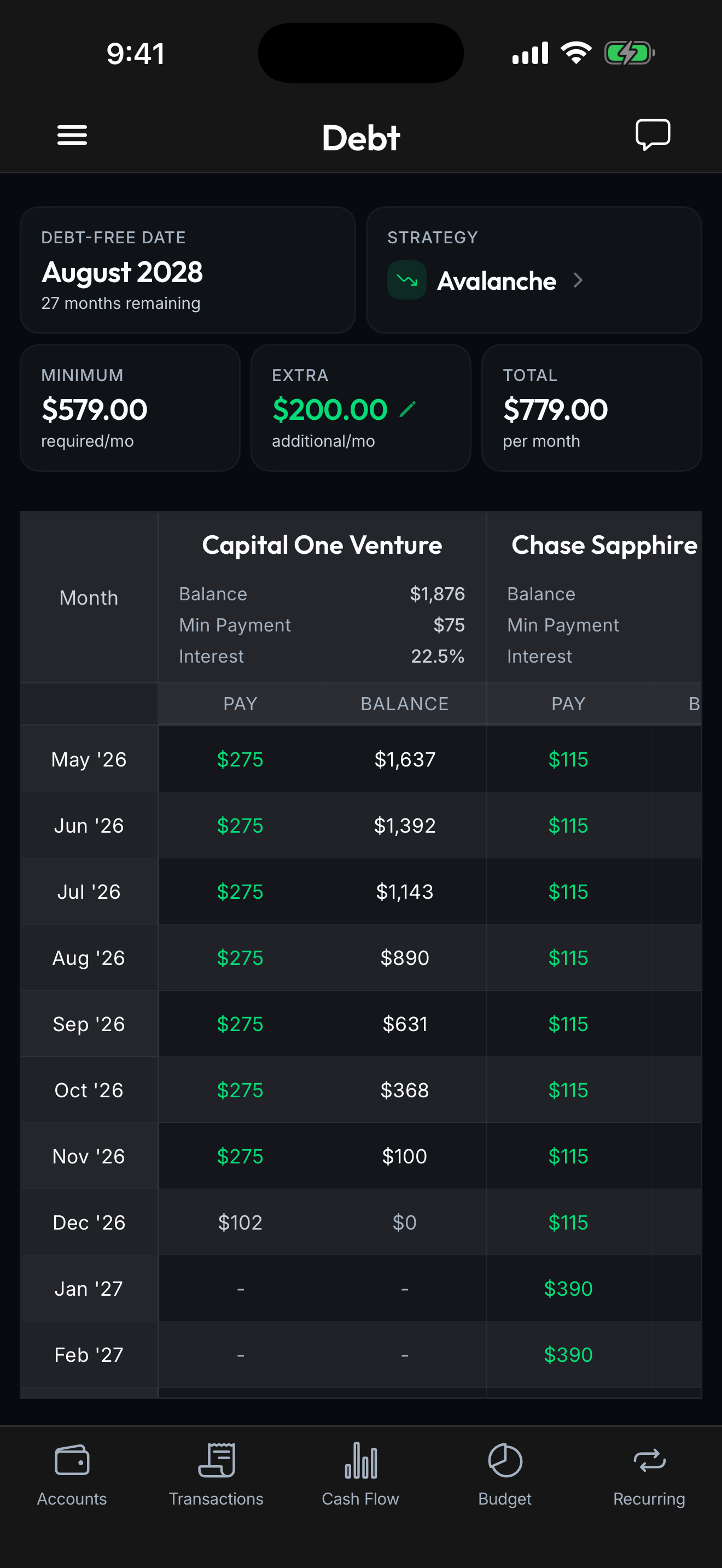
Mortgage, car loans, and student loans in one view. See the combined payoff timeline and how extra payments accelerate it.
Everyone's accounts in one place. Chase, Wells Fargo, local credit unions, all synced automatically through Plaid.
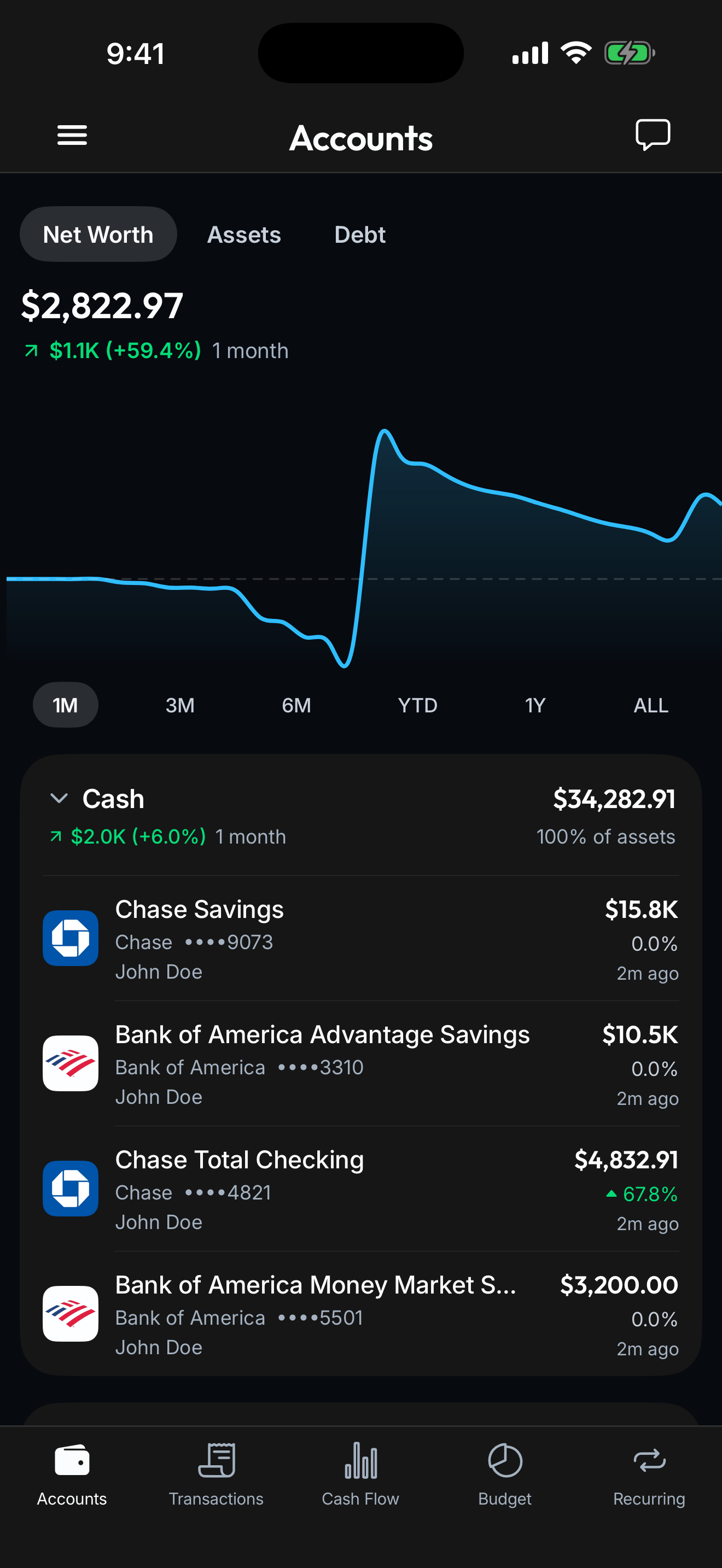
Connect your banks, cards, loans, and investments once. Spendify keeps everything in sync so the whole financial picture stays current without a single spreadsheet.
See how it worksName it, set it up, and you're the owner. One workspace for the whole household.
Invite your spouse as Admin, your teen as Viewer. Everyone gets the right level of access.
Link household accounts, create budget categories, and start tracking as a family.
Yes. Add them as a Viewer and they'll see budgets, transactions, and balances, but can't edit, delete, or connect anything. It's a great way to teach financial awareness.
There's no limit on collaborators. Add your spouse, kids, grandparents, or anyone else who's part of your household finances.
Yes. Add all your debt accounts to the family workspace and Spendify calculates a combined debt-free date. You can compare payoff strategies (snowball vs avalanche) to find the fastest path.
No. One subscription covers the whole family. The workspace owner pays, and everyone else joins through an invite link with their own free account.
Absolutely. Every family member can have their own personal workspace that no one else can see. The family workspace is shared; personal workspaces are private.
That's up to you. The Viewer role is read-only, so there's no risk of accidental changes. Many families add teens (13+) to start building financial literacy. Younger kids can look over your shoulder at the family dashboard.
Life rarely fits one label. See how Spendify adapts to other chapters.
Track irregular income, separate business expenses for tax time, and plan for quarterly payments, without a spreadsheet or an accountant.
Learn more
Track your mortgage payoff date, watch home equity grow in your net worth, and budget for every property expense, all in one place.
Learn more
You just got your first real paycheck. Spendify helps you budget it, track your spending, and make a plan for that student debt, all in one app.
Learn moreMore on the ideas behind this playbook.
May CPI hit 4.2%, the highest in three years. Here's what re-accelerating inflation does to your budget in real dollars, and the concrete moves to defend it.
Read articleThe Fed meets June 16-17, 2026 and cuts are off the table. Some officials are floating hikes. Here's what higher-for-longer rates mean for your money.
Read articleTry free for 7 days. Cancel anytime.