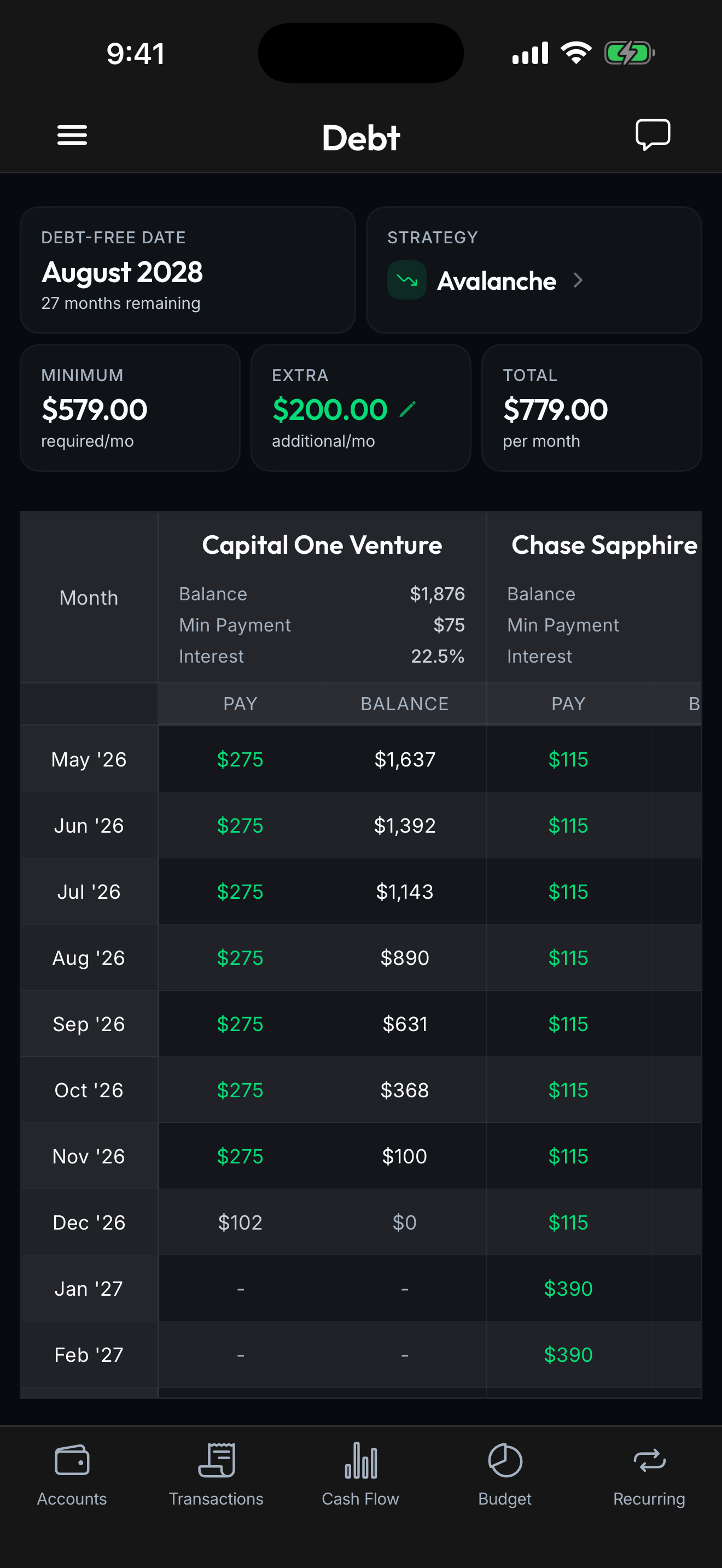


Built for Couples
Finally, Finances You Can Both See
Shared workspaces, joint debt payoff plans, and full transparency, without merging bank accounts.
Learn moreDedicated workspaces for your business finances. Track expenses, manage business debt, and keep everything clean for tax time.
Unlimited
Workspaces
Auto
Categorization
13,000+
Banks Supported

When business and personal spending blur together, everyone loses. Especially at tax time.
Business and personal spending mixed in one view makes accounting a nightmare. Your bookkeeper shouldn't need a detective badge.
Business loans, lines of credit, and credit cards without a payoff plan drain your profits. You're working to pay interest, not build equity.
Spending hours categorizing expenses at tax time because nothing was organized during the year. There's a better way.
Clean separation, automatic organization, and a plan to eliminate business debt.
One workspace for personal, one for each business. Clean separation with no cross-contamination. Your accountant will thank you.
Auto-categorize recurring business expenses. Multi-condition rules match by merchant, amount, and date. Set it once, never categorize again.
SBA loans, equipment financing, business credit cards. See your business debt-free date and optimize your repayment strategy.
Give your bookkeeper Viewer access or your business partner Admin. Role-based permissions keep sensitive data controlled.
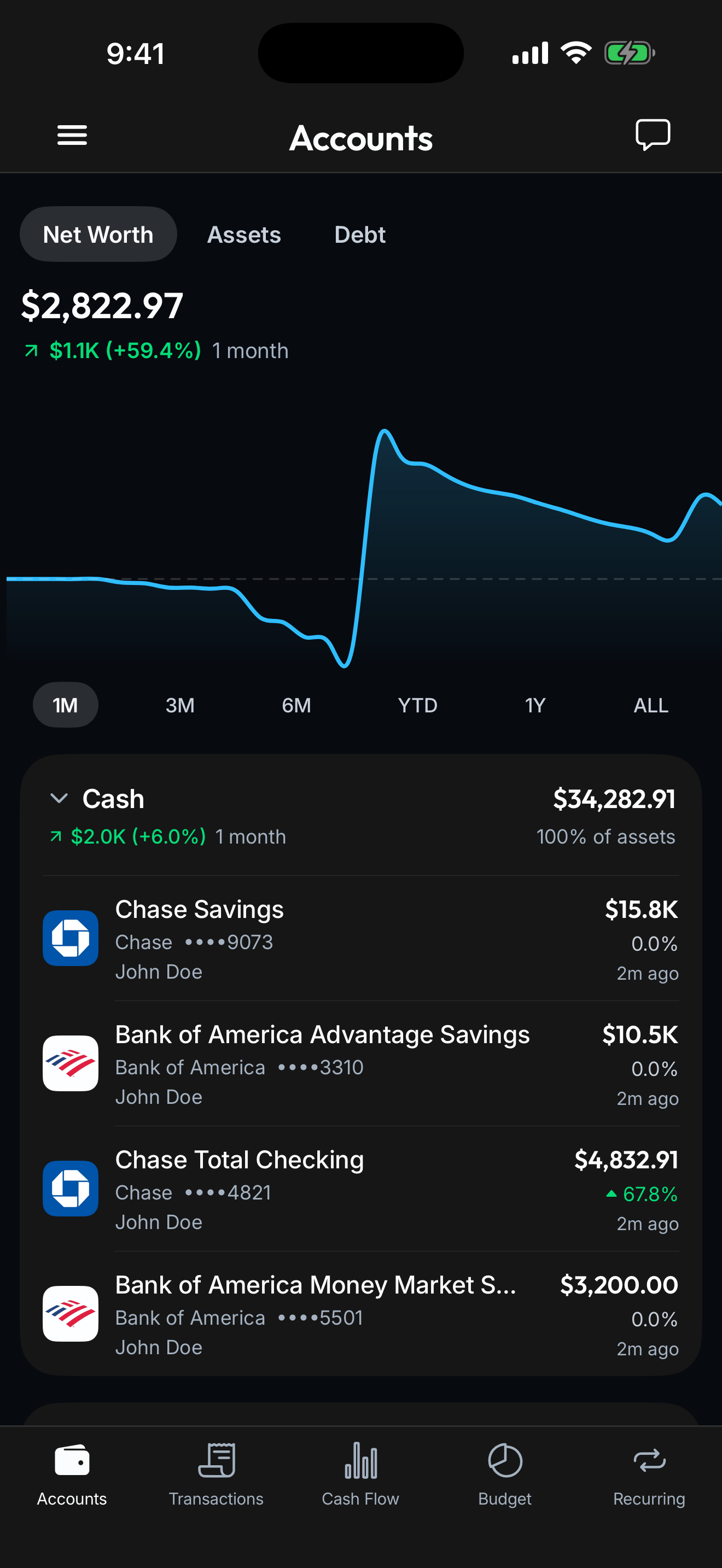
Connect your banks, cards, loans, and investments once. Spendify keeps everything in sync so the whole financial picture stays current without a single spreadsheet.
See how it worksKeep it separate from personal. Name it after your business and you're ready to go.
Link your business bank accounts and credit cards. Plaid syncs 13,000+ institutions automatically.
Create transaction rules for recurring expenses. Office supplies, software subscriptions, travel, categorized automatically.
Yes. Create as many workspaces as you need: one for each business, side hustle, or rental property. Each workspace is completely separate with its own accounts, budgets, and debt plans.
No. Spendify is for tracking, budgeting, and debt planning, not invoicing, payroll, or tax filing. Think of it as the day-to-day visibility layer that keeps your finances organized so tax time is painless.
Yes. Invite them as a Viewer for read-only access, or as a Member if they need to categorize transactions. They'll only see the workspace you share, not your personal finances.
You create rules based on conditions like merchant name, amount range, or date pattern. When a new transaction matches, it's automatically categorized. For example: any transaction from "AWS" over $10 gets tagged as "Cloud Infrastructure."
Absolutely. Each workspace has its own debt dashboard. Your business workspace shows your business debt-free date, and your personal workspace shows your personal one. Different strategies, different timelines.
Yes. Even if you're a one-person business, separating business and personal finances in different workspaces makes expense tracking and tax preparation dramatically easier.
Life rarely fits one label. See how Spendify adapts to other chapters.
Shared workspaces, joint debt payoff plans, and full transparency, without merging bank accounts.
Learn more
Compare payoff strategies, track every balance in real time, and watch your debt-free date get closer with every payment.
Learn more
Track household spending, manage family debt, and teach kids about money, with roles that keep everyone in their lane.
Learn moreMore on the ideas behind this playbook.
May CPI hit 4.2%, the highest in three years. Here's what re-accelerating inflation does to your budget in real dollars, and the concrete moves to defend it.
Read articleThe Fed meets June 16-17, 2026 and cuts are off the table. Some officials are floating hikes. Here's what higher-for-longer rates mean for your money.
Read articleTry free for 7 days. Cancel anytime.