Your finances, available
to your AI assistant.
Connect Claude.ai, Claude Desktop, Claude Code, VS Code, Cursor, or any MCP-compatible tool straight to your Spendify data. Ask questions, analyze spending, and manage budgets in plain language.

Three parts, one connection.
Your AI tool talks to Spendify over the Model Context Protocol. You set it up once, and it stays in sync.
Your AI tool
Claude.ai, Claude Desktop, Claude Code, VS Code, Cursor, or any MCP-compatible client. You ask questions about your money in plain language.
The MCP connection
A secure OAuth 2.1 login with PKCE. Your browser opens for sign-in, so there are no API keys to copy or store.
Your Spendify data
Real-time access to your accounts, transactions, budgets, categories, merchants, and more, all from one connection.
Can you just ask?
Yes. Point your assistant at any of these and it pulls the answer from your real data.
Spending analysis
Ask "how much did I spend on dining out last month?" and get an instant breakdown with category trends and comparisons.
Budget reviews
Run a full budget versus actual comparison. See which categories are over, which have room, and where to adjust.
Subscription audits
Find every recurring charge, spot duplicates and overlapping services, and calculate your total monthly subscription cost.
Transaction cleanup
Categorize uncategorized transactions in bulk. Create rules so future ones from the same merchants sort automatically.
Merchant insights
See your top merchants by spending. Identify where your money actually goes beyond high-level categories.
Debt tracking
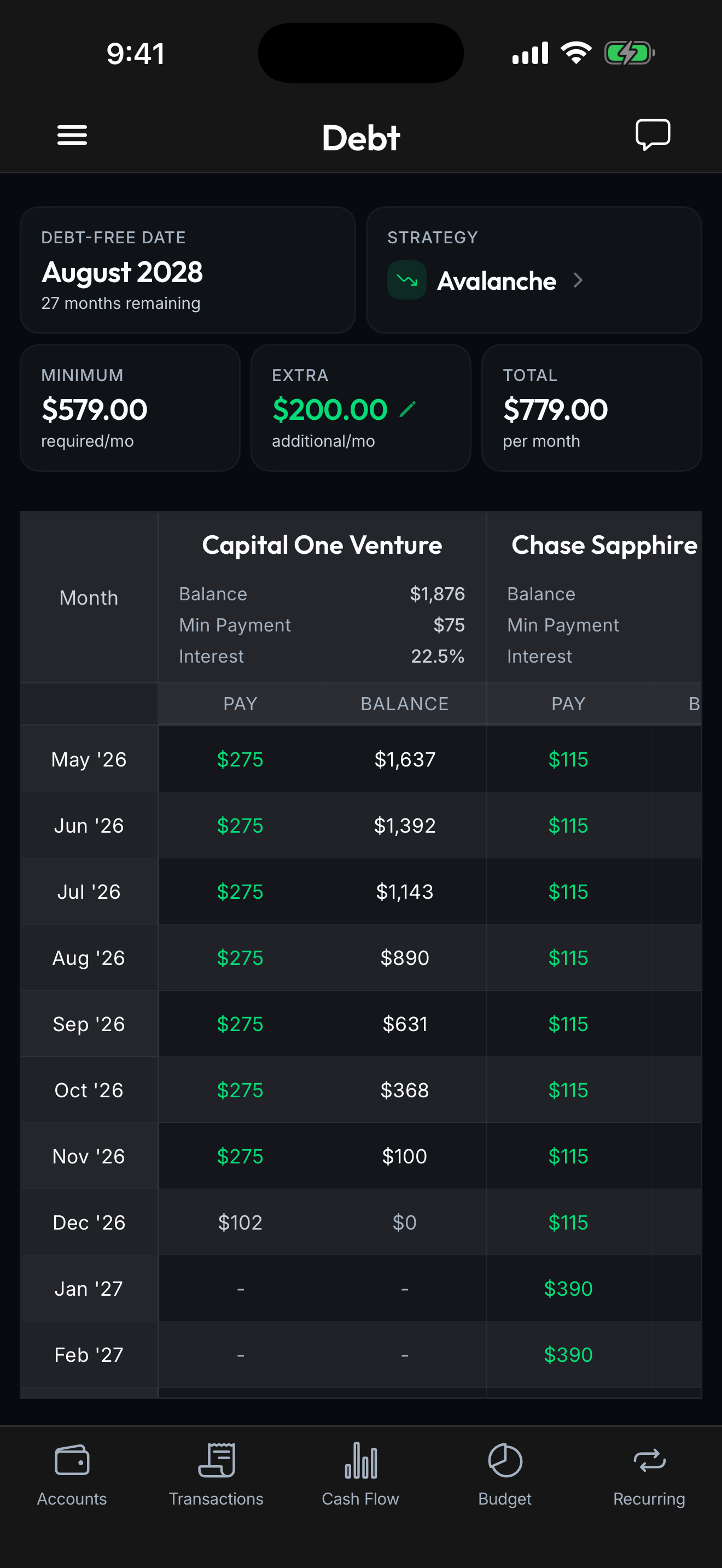
Check account balances, track debt payoff progress, and monitor upcoming bills, all through a quick conversation.

Set up in three steps.
Add the Spendify MCP server to your favorite AI tool. It takes a couple of minutes.
- 1
Open your tool's connector settings
In Claude.ai, that is Settings then Connectors. In Claude Desktop, Claude Code, VS Code, or Cursor, it is the MCP server config shown below.
- 2
Add the Spendify MCP server URL
Point your client at the single endpoint that exposes every tool.
https://api.spendify.money/mcp - 3
Sign in through your browser
The first time you use the connector, your client opens a browser window to sign in to Spendify. No API keys, no manual setup.
Configuration for your tool
Add Spendify as a custom connector
- Go to Settings, Connectors on claude.ai
- Click Add custom connector at the bottom of the section
- Paste the MCP server URL:
https://api.spendify.money/mcp - Click Add, then enable the connector via the + button in any chat
Available on Free, Pro, Max, Team, and Enterprise plans. Free users are limited to one custom connector.
Your client opens a browser to sign in to Spendify. No API keys or manual setup needed.
30+ tools at your fingertips.
Your assistant can read your financial data or take action, all in plain language.
Accounts
list_accountsList all linked accounts with balances
get_accountGet detailed account information
list_debt_accountsDebt accounts with APR and minimums
Transactions
list_transactionsBrowse with filters and sorting
search_transactionsFull-text search
get_spending_by_categoryCategory breakdown
get_transaction_statsIncome and spending totals
get_daily_spendingDay-by-day analysis
get_monthly_spendingMonth-by-month trends
list_uncategorizedFind uncategorized transactions
update_transactionwriteModify category, notes, tags
Budgets & categories
list_categoriesFull category hierarchy
get_budget_overviewBudget vs actual spending
create_categorywriteCreate a custom category
update_category_budgetwriteSet or modify budget amount
Merchants
list_merchantsAll merchants with transaction counts
get_merchant_spendingTop merchants by spending
Rules & automation
list_rulesList categorization rules
preview_rulePreview which transactions match
create_rulewriteCreate a new automation rule
Recurring & tags
list_recurringRecurring transactions
list_upcoming_recurringUpcoming bills and charges
confirm_recurringwriteConfirm a recurring pattern
list_tagsAvailable tags
add_tag_to_transactionwriteTag a transaction
remove_tag_from_transactionwriteRemove a tag

Workflows, ready to run.
Pre-built prompts that combine several tools into one comprehensive answer.
monthly_spending_reviewMonthly spending review
A comprehensive breakdown of your spending for any month: top categories, merchant patterns, daily trends, and savings suggestions.
subscription_auditSubscription audit
Every recurring charge across all accounts. Spot overlapping services, see upcoming renewals, and estimate potential savings.
budget_checkBudget check
Compare your budget targets against actual spending. See which categories are over, which have room, and get recommendations.
categorize_uncategorizedCategorize uncategorized
AI-assisted categorization of transactions missing a category. It suggests categories, applies them, and creates rules for future matches.
You stay in control.
The connection uses the same read-first posture as the rest of Spendify.
OAuth, not API keys
Sign in through your browser with OAuth 2.1 and PKCE. There is no key to copy, paste, or accidentally leak in a config file.
Reads by default
Most tools only ever read your data. The handful that change anything are clearly marked as write tools, so nothing is altered by surprise.
Scoped to your account
The connection sees only your own Spendify workspace, and you can disconnect it from your AI tool at any time.
Put Your Finances
in the Conversation
Connect your AI tool to Spendify and ask anything about your money. Try free for 7 days.