v1.0.7: Spendify on Desktop, Plus a Better Budget Tab
Spendify Team
Highlights
- Use Spendify in your browser at app.spendify.money
- Five-step desktop onboarding inspired by Copilot Money
- New Category detail sheet with full transaction history
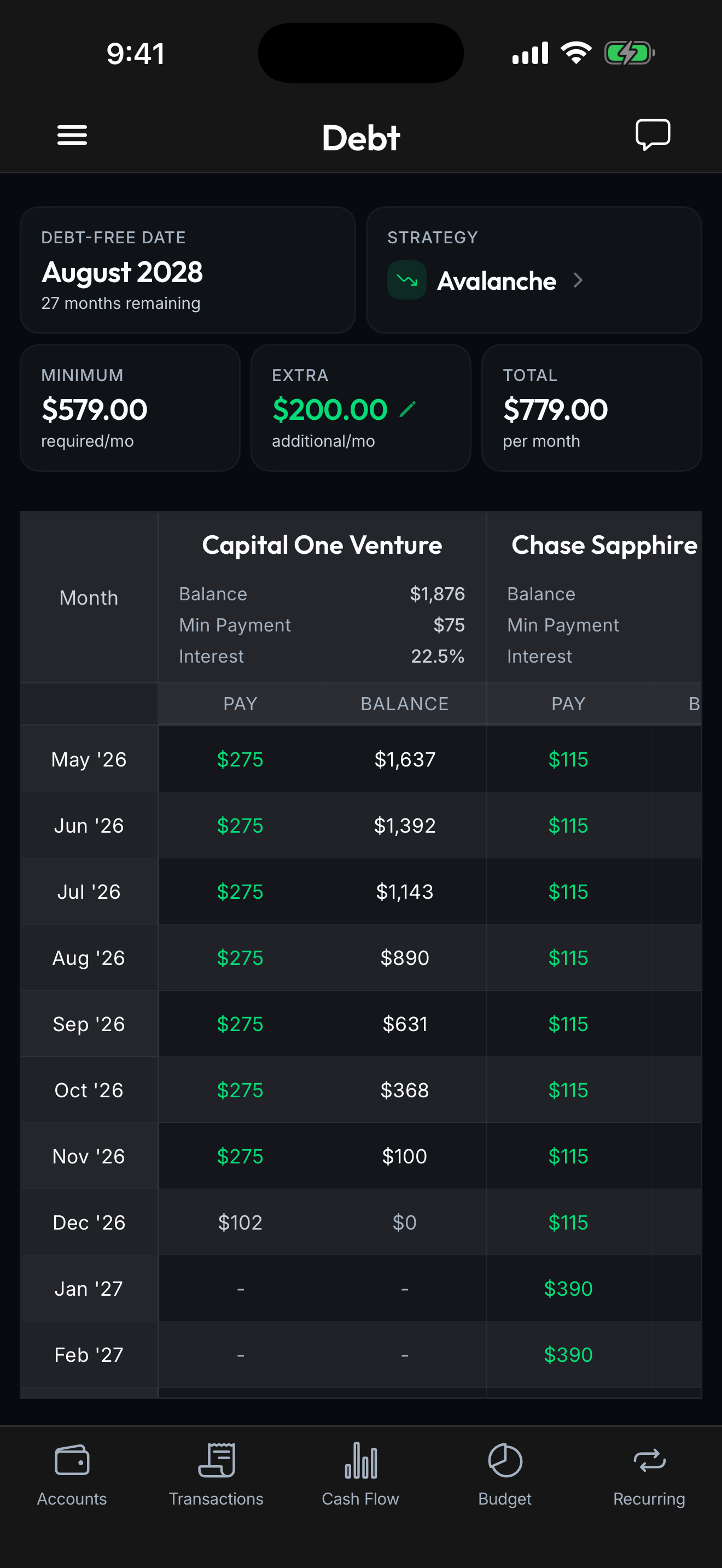
- Paginated debts table with anchored month column
- Add-rule shortcut on the rules sheet
- Category amount validation no longer rejects valid inputs
Spendify in your browser
Spendify now runs on the desktop. Open app.spendify.money in any browser, sign in with the same account, and your data is there. The interface is built for a wider screen: side-by-side accounts and transactions, larger charts, a real keyboard experience for editing categories and rules.
This is the same Spendify, not a stripped-down companion. Plaid connections, budgets, recurring detection, AI advisor. All of it works.
A five-step desktop onboarding
We rebuilt onboarding for the web specifically, inspired by some of the best in the category. Welcome → Review → Connect → Paywall → Done. Cleaner, faster, and laid out two-column so you always know what’s coming next.
Budget tab polish
The budget tab is where you spend a lot of time, so we tightened it up:
- Category detail sheet. Tap any category to see every transaction in it, with an edit shortcut and an inline progress chart.
- Paginated debts table. Long debt schedules used to scroll forever. Now they paginate with the month column anchored.
- Synthetic loans group. Multiple credit cards from the same issuer roll into a single visual group so the table reads cleaner.
- Settings toggle. A new switch in settings hides debts from the budget if you only want to use Spendify for spending.
Smaller things
Add a rule from a filtered view. When you filter transactions and realize you want a rule for that pattern, there’s now an “Add rule” button right there.
Amount validation. Typing 1,000.50 into a category limit no longer threw an error. Fixed.